Every customer email and chat, in one queue

All your customer requests in one organized place. Assign it, tag it, leave a note, close it, and see who's already replying before you type a word.

Inbox Help Desk queue with conversations assigned to the team
Tools you can replace

The same help desk experience, minus the enterprise invoice

  • Intercom

    Intercom

    The help desk our own support ran on for years, and the first tool we replaced. Inbox Help Desk gives you a shared inbox, assignment, notes, and live chat, with the AI agent taking the first reply, without a seat price, built for small support teams.

  • Front

    Front

    A shared inbox with comments and assignments, billed per seat. Inbox Help Desk covers the same workflow - assign, note, tag, see who’s already replying - and adds live chat, team chat, and an AI agent on the same bill.

  • Zendesk

    Zendesk

    A ticketing suite that expects an admin to configure it. Inbox Help Desk skips the setup: forward support@ to it or create it on your domain, invite your team, and the queue works the same afternoon.

What your team gets on day one

One queue for every customer and channel

See the full picture before you reply. Each contact’s name, email, custom attributes, internal notes, and conversation history sit right beside the thread.

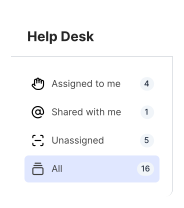
Pin the queues you work in most to the sidebar and see how many conversations are still open in each, at a glance.

Every email is scored against SPF, DKIM, and DMARC before it lands. Doubtful mail arrives flagged, obvious spam goes to its own folder, and one click brings anything back.

Loop in colleagues or partners, or remove recipients from a thread, right from Help Desk without switching to another email client.

Website chats arrive right next to your emails, with the same contact card, so your team works from a single queue no matter where customers reach out.

Email, chat and AI agent conversations flowing into one Help Desk queue

One owner for every conversation

Every conversation has an owner and a status, so nothing sits unanswered because everyone assumed someone else had it.

See which teammate is viewing or typing in a thread, so customers never get two different answers to the same question.

Label conversations by topic, priority, or customer type, then filter and search by tag to find what you need in seconds.

Ask a teammate about a customer or escalate a tricky case in Team Chat, which sits in the same platform, without leaving the app.

Leave notes for yourself or tag a teammate in any conversation. Notes stay internal, so your customer never sees them.

Group teammates into teams like Support, Sales, or Billing, and route conversations to the right queue so every request reaches the people who can solve it.

A tagged conversation with its tag list open in Help Desk

The numbers a five-person team actually needs

A big support team wants dashboards, but a small one wants to know how much is coming in, how fast we're replying, who's carrying the load, and whether customers are happy.

  • No report builder
  • No templates to learn
  • No extra seat for analytics

Try for Free

Help Desk reports: conversations replied to, closed conversations, average time to resolution and replies sent

Built by people who've run email since 2010

Elastic Email operates its own mail infrastructure. That's why the help desk handles spam, CC/BCC, threading, and your own domain the way a mail system should.

Also in Inbox

Three more Inbox tools, one tab away

Team Chat and Live Chat come with your seat. AI agent is an add-on with a free monthly allowance. Nothing to install, nothing to connect - they’re already in the app you’re reading about.

  • Team Chat

    Team Chat

    Ask a teammate about a customer or escalate a tricky case in channels and DMs - one tab from the Help Desk, same login, no separate bill.

  • Live Chat

    Live Chat

    Put a widget on your site and keep every conversation in the same queue, with the visitor recognized if they’re signed in.

  • Milo AI agent

    Milo AI agent

    Let Milo answer routine questions from your files, website, and notes, in email and chat, and hand the rest to your team with the full thread.

Frequently Asked Questions

Elastic Email Help Desk is a shared inbox for customer support. It brings customer emails and live chats into one queue, where your team can assign, track, and resolve every conversation. It’s part of Elastic Email Inbox, alongside Team Chat, Live Chat and Milo, the AI agent.

A shared Gmail or Outlook inbox shows everyone the same messages, but it doesn’t tell you who’s handling what. Help Desk gives every conversation an owner and a status, shows which teammate is replying right now, and keeps internal notes and customer history next to each thread. That way, nothing gets missed or answered twice.

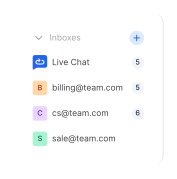
Yes. Connect addresses like support@ or billing@, and incoming emails go straight to the shared help desk. Your customers keep writing to the same addresses, so nothing changes on their side.

No. Internal notes are visible only to your team. Use them to add context, leave reminders, or loop in a teammate without the customer ever seeing it.

Help Desk shows which teammate is viewing or replying to a conversation in real time. Combined with clear assignment and status, this keeps every customer getting one consistent answer.

The entire Elastic Email Inbox is available for free, with 90 days of message history. For unlimited message history, choose the Inbox Plus plan, which costs $9/month per seat.

Ready to integrate Elastic Email Inbox into your business?

Say goodbye to outdated communication channels and bring your team and customers together.

No credit card required. Message history limited to 90 days.