
Why your team chat belongs next to your help desk

Channels, direct messages, and threads - in the app where your support queue already lives. Ask a teammate about a customer, link straight to the conversation, and stop paying for a separate chat tool.


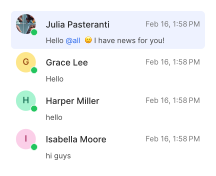
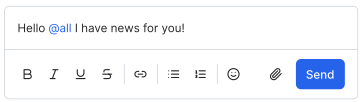
The default team chat, billed per seat once you outgrow the free plan. Inbox Team Chat gives you channels, DMs, threads, pins, search by person and channel, and a desktop app - one tab from your help desk, where your customers are.

Built for meetings and large organizations. Inbox Team Chat is lighter: channels and threads without the calendar, one login shared with your help desk, and a link to a customer conversation that opens in the same window.

The self-hosted Slack for teams who want their data on their own servers. We ran it for years. Inbox Team Chat gave our team the threads, pins, code blocks, and search they needed, right next to the support queue, without anyone patching a server.

Every customer email and chat that reaches Elastic Email lands in Inbox Help Desk. Every internal conversation happens in Inbox Team Chat. There’s no second tool on the side - when something was missing, we built it, then shipped it to you.
Elastic Email Inbox is built by a company that has run email infrastructure since 2010. The controls below are the ones in the product today, not the ones on a roadmap.

Roles determine who administers the workspace, who manages channels, and who only participates. Access management lets you change or revoke a teammate's access the day they leave.

Membership is set per channel: only the people added to a private channel can see it. Removing someone takes one action and is logged in the channel's history.

Every account can use a second factor at login on Free and Plus alike, so a leaked password doesn't open your team's channels or your customer conversations.

When the Elastic Email support team impersonates a user to help with an issue, message content is hidden. Direct access to the message database is restricted to a small number of authorized engineers.

Message history is kept for 90 days on Free and without limit on Plus. When a subscription ends, the account stays active for 180 days, and after that, the data is permanently deleted.

Elastic Email's Security and Compliance Handbook describes the infrastructure Inbox runs on.
Help Desk and Live Chat come with your seat, while Milo, the AI agent, is an add-on with a free monthly allowance. Paste a link to a customer conversation into any channel, and your teammate opens it in the same window - no second app, no second login.

Every customer email and chat lands in one queue with an owner, a status, and the full history on the contact card.

Put a widget on your site and keep every conversation in the same queue, with the visitor recognized if they’re signed in.

Let Milo answer routine questions from your files, website, and notes, in email and chat, and hand the rest to your team with the full thread.
Product
Resources
© Elastic Email Inc. 2026


