Create your AI-powered email assistant

Command and control your email operations using simple natural language. Connect our Model Context Protocol (MCP) with an AI tool of your choice and unlock the future of email sending.


A graphical representation of an AI email assistant
decor

Available in plans

Email Marketing

Email API

Transform your workflow with a personal AI assistant and experience unprecedented efficiency

Stop digging through dashboards or writing complex API calls for simple tasks! Use your LLM and gain conversational control over your email operations. The Elastic Email MCP server is the engine that seamlessly connects powerful AI agents to your Elastic Email data.

AI icon

Connect the Elastic Email MCP with your AI tool

AI prompt icon

Write a prompt describing what you want to achieve

AI agent icon

AI agent translates your request into an API call

See what an AI agent can help you with

Effortlessly send transactional and bulk emails

Use conversational AI to send your operational emails to a particular email address on your list or bulk emails to multiple contacts. Transactional and marketing emails at your fingertips.

Prompt example:

Send transactional email from email_address to email_address with subject and template

Get started with the Elastic Email MCP server

and build your AI assistant in 4 simple steps

steps-section.steps.step1_title

Choose an MCP-compatible AI agent

Ensure your chosen chat environment supports the ‘agent mode’.

steps-section.steps.step2_title

Generate dedicated access credentials

Create an API key from your Elastic Email account for MCP access.

steps-section.steps.step3_title

Configure and enable agent mode

Provide your AI agent with the MCP server URL and the generated API key.

steps-section.steps.step4_title

Test your connection and start using your AI agent

Perform basic checks to confirm everything is set up and running smoothly.

We’ve got your back

We want you to grow your business effortlessly while sending emails with Elastic Email - but if you have questions or want to say Hi!, email us or access us via chat.

Suppor section icon

High availability with 24/7 services

Suppor section icon

Lightning quick response times

Suppor section icon

Excellent customer satisfaction rate

Support image

Frequently Asked Questions

MCP stands for Model Context Protocol. Our new MCP server acts as a secure, standardized bridge that allows advanced AI tools to communicate directly with your Elastic Email account. It enables your AI assistant to take actions within our platform using natural language commands.

The Elastic Email MCP server is designed to work with any AI tool that is built to support the Model Context Protocol, especially those featuring an Agent mode. This includes, but may not be limited to, Claude, VSCode, Cursor, Chat GPT, Gemini. Always check your preferred AI tool’s documentation for compatibility with third-party MCP servers.

Absolutely not. The power of the MCP connection is that it turns complex API actions into simple, natural language prompts. While developers can use it for advanced API interactions, marketers can use it as effectively to manage campaigns without writing any code.

You can ask your AI assistant to perform various actions like creating, updating, pausing or listing email campaigns, sending transactional and bulk emails, adding contacts to a list, uploading or fetching contacts, creating lists and segments, and retrieving data about contacts, lists, segments, or templates. Here are some examples of requests you can make: “Provide all the contact lists from my account”. “Send a welcome email to new@customer.com. Use the “Welcome email” template.” “Create a campaign announcing our new product launch to our premium subscribers. Use the “New product launch” template and the “VIP” contact segment.” “Create a segment of my subscribers who have opened my emails in the last 6 months. Name the segment “Active”.”

No, the setup process is quite straightforward. Once you select an MCP-compatible AI Agent or Chat Environment, you need to set up your access credentials. Generate an API key from your Elastic Email account specifically for the MCP access. Provide your AI agent with the connection details such as the MCP server URL and the generated API key. Activate the agent mode in your AI tool if needed. Perform basic actions to test the connection and you’re good to go!

No. Access to the Elastic Email MCP server is included in your plan provided you have access to the email API. This feature is included in the Email Marketing and Email API plans. Please note that your external AI tool may have its own usage limits or subscription costs, which are separate from our service.

Yes. We ensure your AI agents can safely access and control your email operations while maintaining robust security and proper authentication. We use a safe HTTPS connection to transfer data, we only allow connections after providing an API key, and the customer has control over their API keys and can grant granular access or revoke access at any time. When it comes to AI agents and the data that is downloaded and processed by them, the customer must verify which agent they choose and what consents they give there.

See it in action

Watch the video to see how to command and control your Elastic Email operations using simple natural language. See how easy it is to connect the Elastic Email MCP with Copilot, ChatGPT, Claude, or Cursor and run API operations just by writing prompts and conversing with your AI agent.

Video thumbnail of the MCP Server. Click to watch.

Elastic Email empowers relationships through smarter email tools

“Elastic email has probably one of the highest email deliverability rates on the market. Besides this, the pricing is very affordable and scalable, the API is documented and easy to use, and the editor works great too.”

Tomer Aharon,Co-founder, Poptin
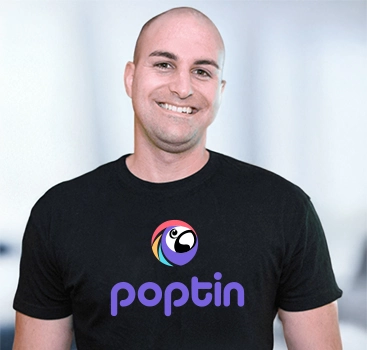
Poptin image

Check out other AI features

Explore more powerful tools that make your email marketing easy and effective! Check out our other essential features below to see how we can help you engage, convert, and grow your audience.

Ready to revolutionize your email sending?

The Elastic Email MCP Server is the engine you need to unlock the future of email tools.

Start Now

Instant setup. No credit card required.