
Table of Contents
What Slows Down Email Marketing Workflows and How To Fix It
An email marketing workflow is the end-to-end process of planning, creating, approving, sending, and analyzing an email campaign, including every tool, task, and handoff involved along the way. When any part of that process breaks down, delays compound fast. You might lose time writing and editing, cleaning lists, waiting for approvals, or fixing technical issues right before a send.
Table of Contents
In this guide, we will look at the most common things that slow the process down and how to fix them. With a few simple changes, you can build campaigns faster and stay more consistent.
TL;DR - 6 email workflow bottlenecks and how to fix them
Bottleneck | Root cause | Fix |
Slow content creation | No templates, too many revision rounds, unclear guidelines | Use reusable templates; leverage AI for drafts with human review |
Messy lists & segmentation | Duplicate contacts, outdated emails, manual segmentation | Automate list cleaning; standardize data collection and tagging |
Tool overload | Too many disconnected platforms; manual data transfers | Consolidate tools; use integrations to sync data automatically |
Platform & technical slowdowns | Unclean imports, misconfigured settings, missing authentication | Clean CSVs before upload; audit SPF/DKIM/DMARC before every send |
Approval bottlenecks | Unclear ownership, too many approvers, scattered feedback | Define one owner per campaign; limit approvers; centralize feedback |
Deliverability issues | Missing authentication, poor list hygiene, spam triggers | Maintain a pre-send checklist; monitor bounce rates consistently |
Slow Email Content Creation & Review Cycles
One of the biggest time sinks in email marketing is the content creation phase. Often, teams get bogged down by too many rewrites, unclear tone directions, and last-minute changes that throw schedules off balance. The process slows further when design, formatting, and quality assurance drag behind copy completion.
The Root Causes
- Copy takes too long: Multiple rounds of edits without clear guidelines cause delays.
- Design and layout delays: Waiting for assets, finalizing style, or manual formatting slows progress.
- No reusable templates: Building everything from scratch wastes precious time.
How To Fix It
Start by adopting reusable templates. Creating a solid base that can be adjusted for different campaigns saves hours of work. Leveraging AI can speed up drafts as well, but remember - quality control is crucial.
For example, AI-generated drafts may sound robotic or generic at first, which can hurt engagement and deliverability. Using an AI detector can help you identify and improve parts that feel too AI-driven, ensuring your emails retain a human touch.
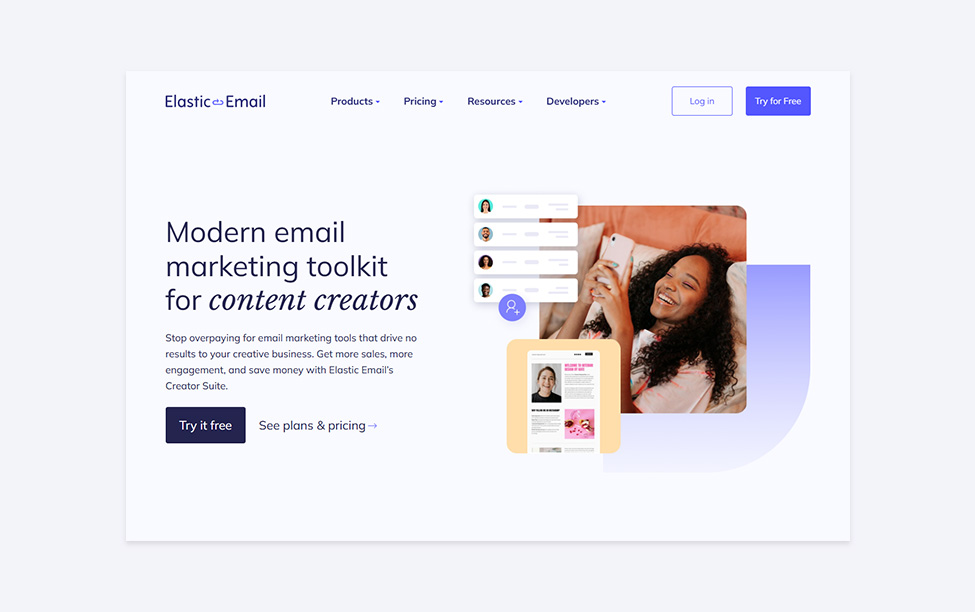
If you want to speed up the editing while preserving natural flow, tools like Siteefy’s AI Humanizer transform robotic text into more human-sounding content. This reduces rewrites and last-minute fixes, streamlining your content pipeline. Finally, save those refined drafts as templates in your email platform or content suite. Solutions like Elastic Email’s Creator Suite provide modern toolkits designed to manage content efficiently, accelerating your workflow.
Messy Lists & Segmentation That Eat Time
Another common culprit behind delayed workflows is how you manage your email lists and segments. Poorly formatted lists, duplicates, or outdated contacts create headaches before you even hit “send.”
Typical Problems
- Formatting or import issues: Dirty CSVs, inconsistent field mapping, or duplicate entries.
- Low-quality contacts: Outdated emails causing hard bounces and extra troubleshooting.
- Manual segmentation: Doing everything by hand without using automation, leading to errors and wasted time.
Solutions To Clean Up & Automate
Implement a regular cleansing routine to remove duplicates, invalid addresses, and stale contacts. Many email platforms offer automation rules and list hygiene features to do this for you. Elastic Email’s email automation solutions can help create triggers that automatically update your lists and segments.
Also, develop a consistent tagging and segmentation system rather than ad hoc manual splits. When you apply clear rules for segmenting based on behavior, demographics, or engagement, you save time and improve targeting accuracy.
To prevent problems before they start, standardize how you collect and store data in the first place. Using consistent signup forms and required fields keeps new contacts clean and easier to segment later. It also helps to keep an always-updated suppression list for unsubscribes and hard bounces, so you are not repeatedly fixing the same issues before every send.
Finally, review list health regularly by tracking bounce rates and inactive segments, then run re-engagement campaigns or remove contacts that no longer respond.
Tool Overload & Fragmented Systems
If your workflow involves bouncing between a CRM, spreadsheets, analytics dashboards, and an email platform, you’re facing the classic “tool overload.” This fragmentation leads to context switching, confusion over data accuracy, and wasted time.
How Too Many Tools Hurt Productivity
- Lost productivity from juggling tabs and logging in/out of different services
- Difficulty trusting a single “source of truth” for data
- Increased risk of mistakes when copying/pasting or transferring data manually
How To Streamline Your Stack
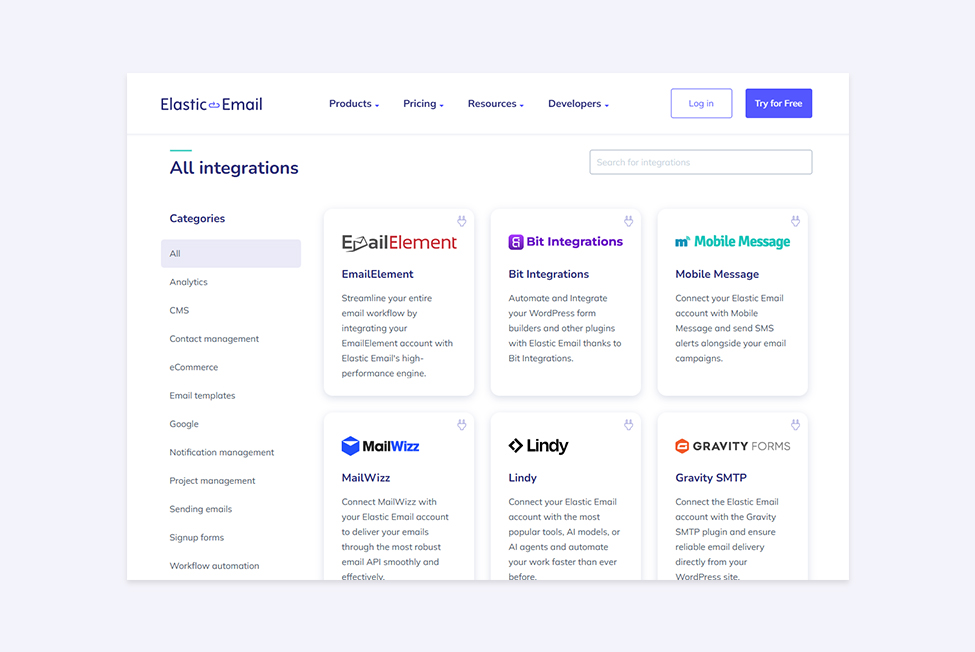
Choose integrated platforms or tools that naturally sync with each other, minimizing duplicate work. Elastic Email, for example, offers a wide range of integrations with many popular CRMs, analytics, and eCommerce platforms, helping keep your workflow seamless.
Automation also helps cut down manual work. New leads can go to the right list automatically, segments can update based on behavior, and follow-ups can trigger without constant exporting and importing. Fewer handoffs mean fewer errors and faster launches.
Alongside streamlining tools, establish clear standard operating procedures (SOPs) for your team to follow. This reduces unnecessary back-and-forth and clarifies the sequence of tasks. Checklists for imports and pre-send reviews keep things consistent, especially when it is clear who owns each step.
Technical and Device Slowdowns
Even if your team is perfectly organized, technical issues on individual devices can drag your email marketing workflow to a crawl.
Common Technical Headaches
- Lag when uploading large contact lists or editing rich templates
- Slow loading dashboards and analytics reports
- Local problems like full storage, background apps stealing resources, or a bloated system cache
Optimizing Performance on Your Devices
Optimizing performance on your devices helps you avoid slowdowns while building campaigns and working with large contact lists.
For Windows users, built-in cleanup tools can remove temporary files and reduce background clutter so everything runs more smoothly. For Mac users, Mac cleaner software can help clear junk files and free up space, which may improve day-to-day performance.
To reduce lag during uploads, keep your CSV files clean and lightweight and close other apps while importing large lists. If dashboards and analytics reports load slowly, try using fewer open browser tabs, disabling heavy extensions, and keeping your browser up to date.
With regular maintenance, you spend less time fighting lag and more time getting emails out on schedule.
Collaboration & Approval Bottlenecks
When teams don’t have clear roles or when approvals get stuck in endless loops, workflows slow down significantly.
Where Bottlenecks Occur
- Unclear ownership - who is responsible for writing, designing, and approving?
- Too many approvers or vague feedback, causing endless review cycles
- Wasted time chasing status updates and clarifying vague comments
How To Fix Collaboration Issues
Create a simple, defined approval flow. For example, assign one content owner, one designer, and one approver per campaign. Limit the number of approvers to the essential few to avoid delays.
Use checklists that specify exactly what needs review at each stage. This clarity reduces vague feedback and keeps everyone accountable. Tools within email marketing platforms or project management apps can assist here, or consider combining them with automation for reminders.
It also helps to set clear deadlines for each step, so reviews do not drag on for days. Keep feedback in one place, such as a single document or one comment thread, to avoid scattered notes across different tools. Finally, use a simple pre-send checklist so everyone knows when a campaign is truly ready to launch.
Deliverability Issues That Create Delays
Nobody likes chasing down why an email campaign didn’t perform because it never reached inboxes. Deliverability troubles can cause last-minute panic and significant delays in workflow.
Common Deliverability Pitfalls
- Missing or misconfigured authentication records like SPF, DKIM, and DMARC
- Sudden spam placements causing emails to bounce or land in junk folders
- Time-consuming diagnosis to find the root cause in lists or content
Preventing Deliverability Delays
Establish a pre-send deliverability checklist. Always verify your domain’s SPF, DKIM, and DMARC records are correctly set up. Many email platforms provide tools to help with this -Elastic Email’s campaign tools include built-in deliverability features and monitoring.
Monitor campaign performance and bounce rates frequently to catch issues early. The faster you identify problems, the quicker you can fix them without disrupting your schedule.
Final Words
When your email workflow runs smoothly, everything else becomes easier. Your team can ship campaigns on time without last-minute stress. You spend less energy fixing small problems and more time improving results.
Over time, that steady rhythm leads to stronger engagement and more reliable performance. That is what a good workflow gives you.
Enjoying this Content?
You can receive articles like this straight to your inbox.
Sign up for our newsletter and get a dose of email marketing knowledge every month!
FAQ
What is an email marketing workflow?
An email marketing workflow is the complete process of planning, building, approving, sending, and analyzing an email campaign, including every tool, team handoff, and task involved. A well-structured workflow allows teams to send campaigns consistently and on schedule, while a broken one causes delays, errors, and missed sends.
What are the most common things that slow down email marketing workflows?
The six most common bottlenecks are: slow content creation and review cycles, messy list management and segmentation, tool overload from fragmented systems, platform and technical slowdowns, collaboration and approval bottlenecks, and deliverability issues. Each has distinct root causes but all result in delayed or underperforming campaigns.
How can I speed up email content creation?
The fastest gains come from building a library of reusable templates for different campaign types, welcome emails, promotions, newsletters, so you're not starting from scratch each time. Using AI to generate first drafts can reduce writing time, but always apply human review to preserve brand voice and avoid generic-sounding copy. Clear tone guidelines and a defined approval process also reduce the number of revision rounds.
How do I fix messy email list segmentation?
Start by standardizing how you collect contact data - consistent signup form fields prevent most import problems before they start. Then implement a regular cleaning schedule (every 90 days minimum) to remove invalid addresses, duplicates, and disengaged contacts. Use automation rules in your email platform to update segments based on behavior rather than manually sorting contacts before each send.
What does tool overload mean for email marketing teams?
Tool overload happens when a team uses too many disconnected platforms - a CRM, a spreadsheet, an analytics dashboard, and a separate email tool - that don't share data automatically. The result is manual exports and imports, inconsistent contact data, and time wasted switching between systems. The fix is to use an email platform with native integrations, so data flows automatically between your CRM, forms, and email campaigns.
How do I prevent deliverability issues from delaying my email campaigns?
Build a pre-send deliverability checklist and run through it before every campaign. At minimum, verify that your SPF, DKIM, and DMARC records are correctly configured, your sending domain is authenticated, your list has been cleaned recently, and your suppression list for unsubscribes and hard bounces is current. Monitor bounce rates and spam complaint rates after each send to catch emerging issues before they become chronic.
How do I reduce approval bottlenecks in email marketing?
Assign clear ownership for each campaign - one content owner, one designer, and one final approver. Limit the number of people with approval authority to avoid endless review loops. Set firm deadlines for each review stage, keep all feedback in a single location, and use a pre-send checklist so everyone has a shared definition of "ready to send."
How does poor list hygiene slow down email workflows?
Dirty lists cause problems at multiple stages of the workflow. Invalid addresses trigger import errors. Hard bounces damage sender reputation and require troubleshooting. Outdated contacts lower engagement rates, which can trigger spam filtering. Each of these issues adds time and manual work to every campaign cycle. Automating list cleaning and maintaining an active suppression list prevents these delays from recurring.
If you like this article, share it with friends:


Elastic Email


Eager to put this knowledge to some use?
Try one of our products!


