
Table of Contents
Elastic Email Use Case: E-commerce Order Processing and Retention
Automated order processing offers a number of important benefits for e-commerce companies, helping to increase employee productivity and improve customer service. We described a use case for implementing an automated application processing system. The presented solution was built using the ApiX-Drive service, which allows for no-code integrations. Let us walk you through a use case on the e-commerce order processing using OpenCart, Elastic Email, Trello, and Google Sheets.
Table of Contents
Problem: Manual order processing slows down business operations
Many e-commerce companies use multi-tiered process chains to handle orders and communicate with customers. This requires employees to perform a number of manual operations: transferring data from online stores to third-party services, sending customer messages, creating CRM records, and so on.
Manually completing such tasks takes up a significant amount of staff resources - on average, administrative processing of one order takes up to 15-20 minutes of an employee's time. Under increased workload, managers often fail to track and process requests promptly, which slows down customer communication and subsequent operations. This puts businesses at risk of losing potential customers who expect their requests to be fulfilled quickly.
Moreover, manually copying and entering data across various platforms and services creates the risk of confusion and human error. When processing numerous orders manually, employees can easily overlook or miss important information or misplace it.
These factors, taken together, pose a real threat to the development of any e-commerce business. As a result, they can cause serious operational problems and degrade customer service, increasing customer churn and reducing profitability.
Solution: Development of an automated order processing system
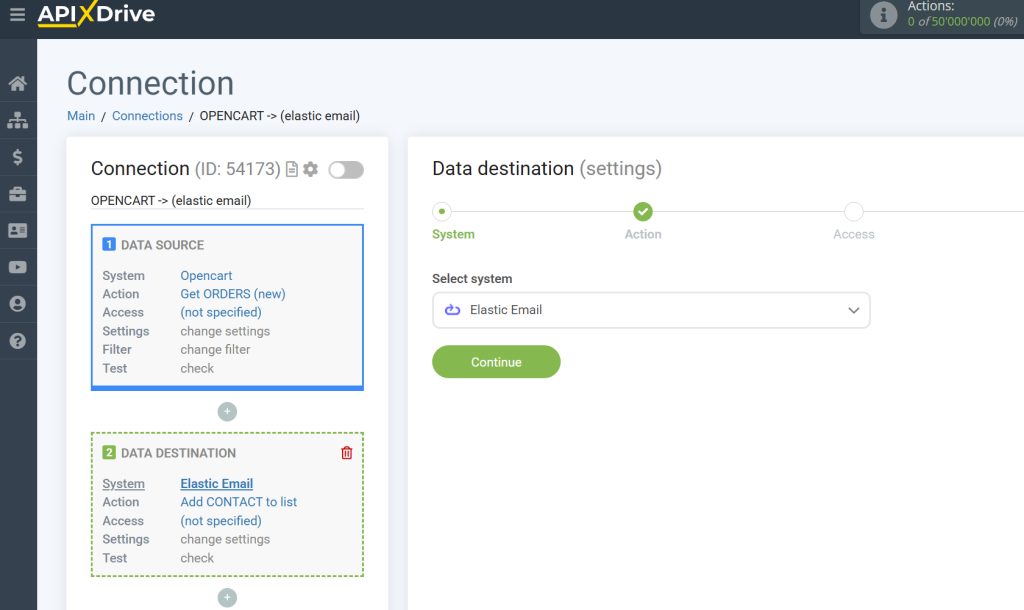
To solve the problem described in the previous section, we created a standalone system for automated request processing. This solution, based on ApiX-Drive, is accessible to a wide audience of non-tech users, including marketers and small business owners.
Our use case also involves the following tools:
- OpenCart is a platform for developing and managing e-commerce websites that act as a source of orders.
- Elastic Email is a platform for managing and automating various types of email campaigns.
- Trello is a service for managing projects/tasks and organizing collaboration between employees/teams.
- Google Sheets is an online spreadsheet program that we use to store order and customer data.
Let's take a closer look at each stage of the created automation.
Data capture
When a customer places an order in the online store, the information is recorded in the database. The ApiX-Drive system monitors new applications. All available information is passed on through an automated chain. The database check interval for new purchases is specified when setting up the integration. This parameter can be adjusted depending on your needs and customer flow.
Sending a welcome email to a buyer
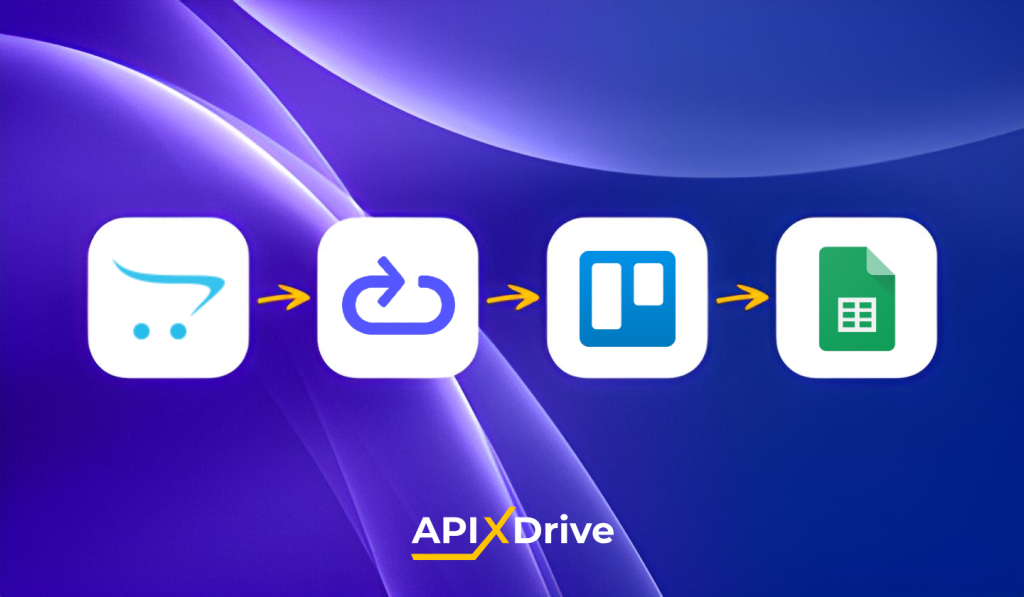
Order data is then sent to the Elastic Email service and added to the appropriate mailing list. This allows you to automatically include the customer's contact information in the required email sequence. You can send purchase confirmation emails, additional offers, marketing materials, and more.
Rapid transactional emails
The first touchpoint is a purchase confirmation email, sent automatically following an order submission. These transactional messages, which also include shipping updates and receipts, are delivered through Elastic Email's reliable SMTP relay or API, ensuring they reach the customer's inbox quickly and consistently. This immediacy is critical: in a competitive e-commerce environment, a delayed response can be enough for a customer to abandon a purchase and turn to a competitor.
AI Template Designer and Drag-and-Drop Email Builder
Sending emails at the right moment is only half the equation. How those emails look has a direct impact on whether customers engage with them. Elastic Email addresses this with two powerful design tools that require no technical expertise whatsoever.
The AI Template Designer allows teams to generate professional, on-brand email templates in seconds. By providing a brief description of the campaign goal, tone, and target audience, the AI produces a fully structured template that can be immediately customized and deployed. For e-commerce teams managing multiple campaigns simultaneously, this eliminates the struggle of starting every email design from scratch and dramatically shortens the time between campaign concept and launch.
For teams that prefer hands-on control, the drag-and-drop email editor provides an intuitive visual canvas where elements such as product images, promotional banners, call-to-action buttons, text blocks, and social media links can be arranged freely without touching a single line of code. Pre-built content blocks can be mixed and matched to suit any campaign type, whether it's a post-purchase upsell, a seasonal promotion, or a loyalty reward offer. Every template is automatically optimized for both desktop and mobile, ensuring a consistent experience regardless of the device a customer is using.
Mailing list segmentation
Rather than sending the same message to every customer, Elastic Email allows contacts to be automatically sorted into targeted mailing lists based on purchase history, order value, location, or engagement level. This means a high-value returning customer receives a different, more personalized sequence than someone making their first purchase, which dramatically improves relevance and, with it, conversion rates.
A/B Testing and Analytics
Elastic Email also provides built-in A/B testing tools, allowing teams to experiment with subject lines, content, and send times to identify what resonates best with their audience. Combined with real-time reporting on opens, clicks, bounces, and unsubscribes, this gives e-commerce businesses the data they need to continuously refine their communication strategy and measure its direct impact on revenue.
This automation stage is responsible for initial communication with the customer after the purchase. E-commerce is a highly competitive environment. If you take too long to respond to a customer's actions, they may abandon the purchase and buy the product or service from a competitor.
Transferring data to a task management system
Many companies use task managers to handle deals. In our case, this is the Trello platform, a popular solution for implementing Kanban-based workflows. Order data is automatically converted into a card in a specific column. When setting up the integration, you can specify various parameters for task creation: board, list, title, comment, etc.
Transferring data to a spreadsheet
At the final stage of the process, data is automatically transferred to Google Sheets. Customer and deal information is added to a new row in the spreadsheet. This data storage format remains very popular. Company employees involved in the order processing cycle may not have access to a Kanban board or marketing platform. A spreadsheet is the optimal solution for providing access to the necessary data.
Furthermore, storing data in Google Sheets allows a sales manager or store owner to quickly check request flow, analyze website visitor applications, and assess staff workload.
Practical Benefits of Automation for E-commerce Businesses
We present the results of automation implementation in real numbers. You can see key e-commerce business metrics that were improved by automating order processing:
- Manual administrative processing of one deal took a manager an average of 15 minutes. After implementing automation, this period was reduced to 2 minutes.
- Employees used to spend up to 3 hours a day copying and transferring data and doing other repetitive tasks. Now the company saves up to 60 hours of staff time per month.
- Automation has increased the average productivity of the company's personnel by 35 percent.
- Due to slow processing speeds, slow customer communication, and data transfer errors, the company was losing up to 20 orders per month. Automation allowed the company to reduce the rate of canceled applications from 8 to 2 percent.
Conclusion
The solution for automating order processing and customer communication described in this use case helped to significantly improve a number of issues relevant to e-commerce business metrics. Thanks to the implemented automation, the company has significantly accelerated order fulfillment and minimized errors in data transfer and other operations. This has resulted in improved customer satisfaction, a higher success rate, and increased business efficiency.
Based on the article content and keeping the AEO principles in mind — standalone answers, specific tool names, no cross-references needed to make sense:
Enjoying this Content?
You can receive articles like this straight to your inbox.
Sign up for our newsletter and get a dose of email marketing knowledge every month!
FAQ
If you like this article, share it with friends:


Elastic Email


Eager to put this knowledge to some use?
Try one of our products!


